
Review invoice status and payments
Inspect the client-facing invoice, remaining balance, recorded payments and follow-up history.
On this page
Find and open the invoice
Open Finance → Invoices and select the invoice. Read its identifier and client before checking the amount. The invoice opens in a document preview with its financial context beside it.
Read its status
A draft is still being prepared. Sent and Late indicate an outstanding invoice; Part paid means a remaining balance exists after a recorded payment. Paid indicates its balance has been settled in the record. Check the due date when interpreting lateness.
Inspect the payment breakdown
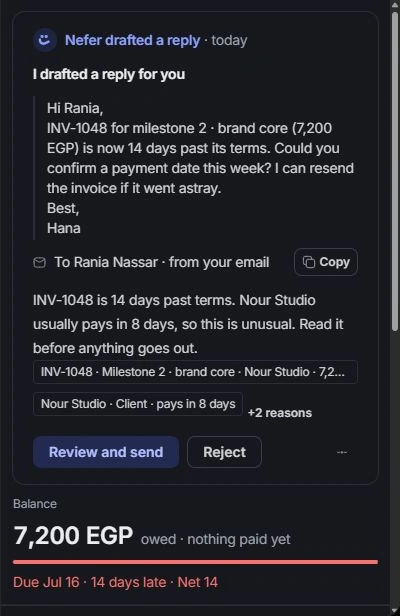
Read the balance and expand Payments. Compare payment amounts and dates with the invoice total. Open linked transactions to inspect their source and reference rather than assuming two similarly sized payments are the same.
Follow up from the invoice
Use Send reminder to prepare the relevant message in the Inbox composer. Review the recipient and wording before Send. The reminder ladder and activity provide context for prior follow-ups; check them before sending another reminder.
Need a clarification? Tell us what you were trying to do below.
Was this article helpful?
Need help with your workspace?
A support request lets the team reply to you directly.
Get help with this article