
Style your form
Use the form’s Design mode to review brand, type, layout, language and the respondent experience.
On this page
Open Design inside Build
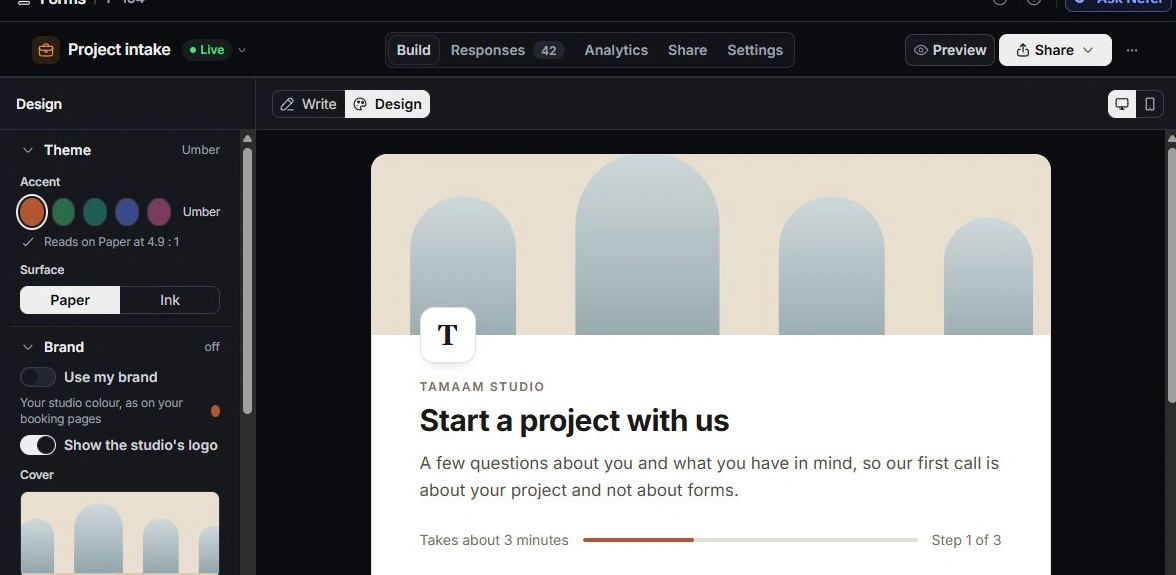
Choose Design in the editor bar beside Write. The design rail has Theme, Brand, Type, Layout and Experience. The paper previews the current presentation while the form’s record tabs remain available.
Set a readable brand treatment
Review the accent, Paper or Ink surface and the contrast feedback. Use my brand applies the workspace colour. Check the logo, cover and typography together rather than treating each as an unrelated decoration.
Review layout and language
Choose the appropriate Classic or One at a time flow and inspect corners, progress, step numbers and welcome settings. Experience includes language options such as English and Arabic. Review right-to-left content and any plan-dependent presentation option before promising a particular appearance.
Preview the actual reading experience
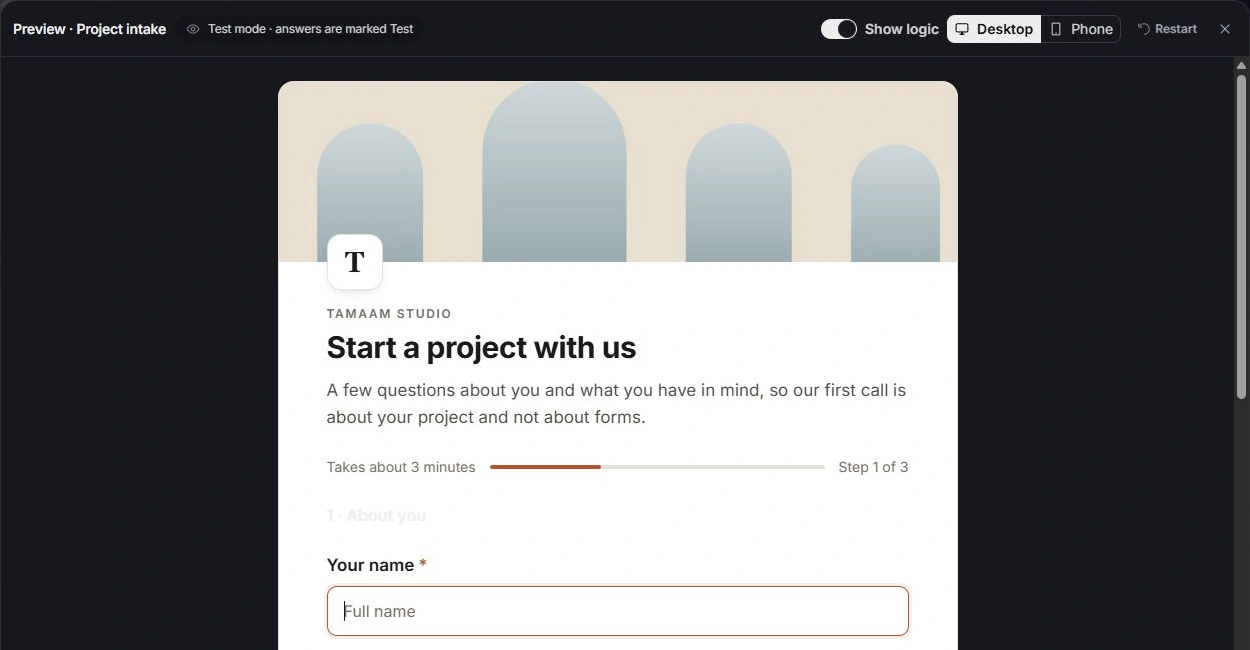
Check the form on phone and desktop, including long labels, choice cards, file fields and endings. Design changes to a live form are working changes until published. If an accent fails contrast checks, choose a readable alternative before release.
Need a clarification? Tell us what you were trying to do below.
Was this article helpful?
Need help with your workspace?
A support request lets the team reply to you directly.
Get help with this article