
Request and review a reply
Ask one eligible teammate to review a draft and handle approval or requested changes.
On this page
Ask for a review
- Prepare a complete draft.
Include the audience, attachments and the context the reviewer needs.
- Choose Ask for a review.
The people control or Send options opens the reviewer list where available for your role.
- Select one teammate.
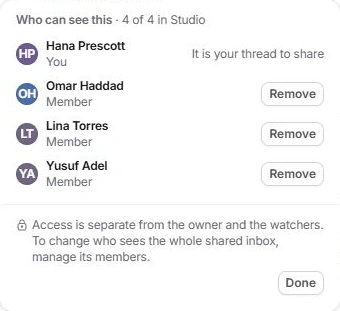
Only eligible people with access to the conversation are offered.
- Read the held state.
The composer identifies the reviewer. Send waits for their decision rather than leaving the ownership unclear.
Review the proposed response
Open the review request from Needs you. Read the client’s latest message and the full draft, including its recipients and attachments. The reply retains its writer even if a reviewer adjusts the text.
Choose Approve and send when the reply is ready. This sends the reviewed reply as its writer. To request changes instead, explain what to alter and choose Send back. That feedback is an internal note for the writer.
Respond to requested changes
The writer sees the reviewer’s note above the draft. Make the requested changes and use Ask [name] again to return it for review. Check the revised text rather than resubmitting the same draft.
Where Send without [name]’s OK is offered, it is a separate deliberate override. Do not use it merely to dismiss feedback. Withdraw the request when a review is no longer needed.
If a reviewer is missing or Send is held
Check conversation access, the reviewer named in the composer, stale-draft notices and attachment preparation. If the original reviewer cannot continue, withdraw the request and choose another eligible teammate.
Need a clarification? Tell us what you were trying to do below.
Was this article helpful?
Need help with your workspace?
A support request lets the team reply to you directly.
Get help with this article