
Email or schedule with a contact
Prepare the next message, meeting or task with the person’s context intact.
On this page
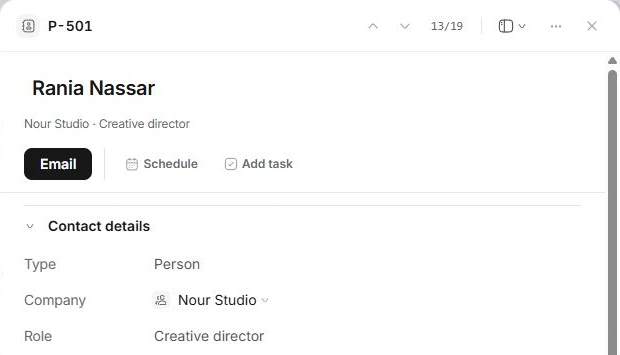
Choose the next action
- Open the contact and check their identity.
Review company, role and the actual email address before composing.
- Choose Email for a person with a recorded address.
Check recipients, subject and message in the composer. The action uses their email, even if Reach on names a different preferred channel.
- Choose Schedule for a meeting.
Review the Calendar form’s attendees, date, time and time zone.
- Choose Add task for follow-up work.
Check the task’s assignee, due date and client or project context rather than assuming every field is correct.
Review drafts in their owning module
Read saved messages in Inbox before sending. Use Calendar for meeting details and Tasks for the follow-up action. A note on the contact is internal team context rather than an email response.
When the recipient is unavailable
Check the record is a Person and has a complete email address. Correct the directory from a reliable source, then reopen the composer. For a company, select the relevant individual rather than guessing a generic address.
Need a clarification? Tell us what you were trying to do below.
Was this article helpful?
Need help with your workspace?
A support request lets the team reply to you directly.
Get help with this article