
Link project records
Connect the project's client context and supporting records without duplicating them.
On this page
Review and add a relationship
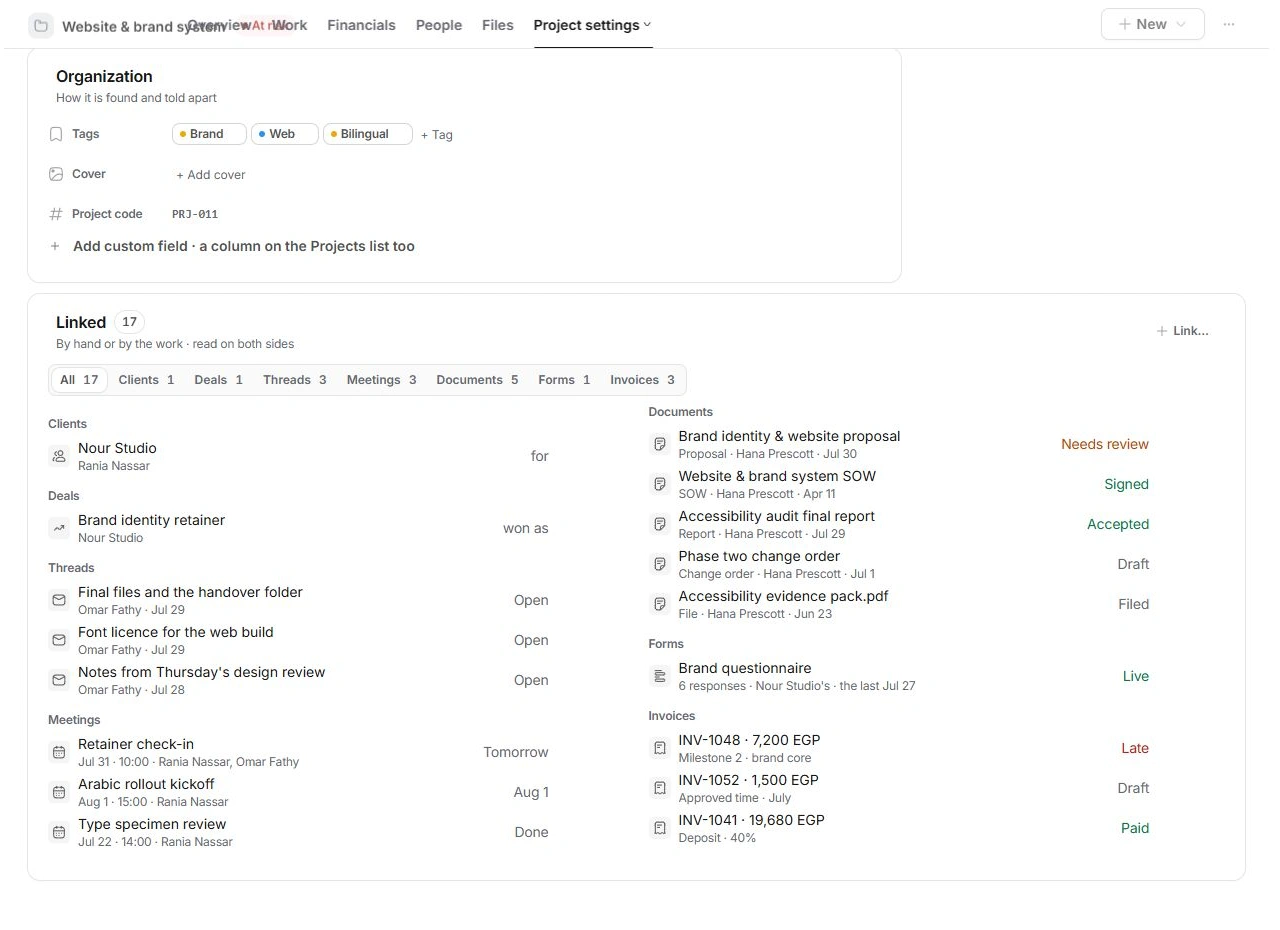
- Open Project settings → Linked.
Read All or narrow to a record type such as Threads, Meetings, Documents or Invoices.
- Open the existing record first.
Confirm its client, project and purpose. A similar title can belong to another engagement.
- Use Link… for a missing relationship.
Choose the intended existing record and review the result in Linked.
Use the right door
A record name can open a preview while its Open link leads to its owning page. Use the original record when you need to edit an invoice, read a full conversation or review a document's acceptance.
Unlink deliberately
Unlink removes a relationship, so inspect whether it was added by hand or follows the underlying work. Do not assume unlinking an invoice reverses a charge or unlinking a document deletes its source. Check both records after correcting a relationship.
When a relationship looks wrong
Inspect Client, the record type and the destination page. Changing a project's client moves its context and financial history with it, so review the wider relationships before moving an engagement. Use Files → Links for an outside URL; Linked is for records inside Tamaam.
Need a clarification? Tell us what you were trying to do below.
Was this article helpful?
Need help with your workspace?
A support request lets the team reply to you directly.
Get help with this article