
Understand linked records
Understand the records that connect a client relationship to its conversations, delivery and money.
On this page
Recognize the record type
A Client represents the business relationship, while a Contact represents a person. Leads track enquiries; Deals track opportunities. Projects organize delivery, Tasks track actions and Calendar holds scheduled time. Documents, Forms and Finance keep their own specialized records.
Follow the relationship
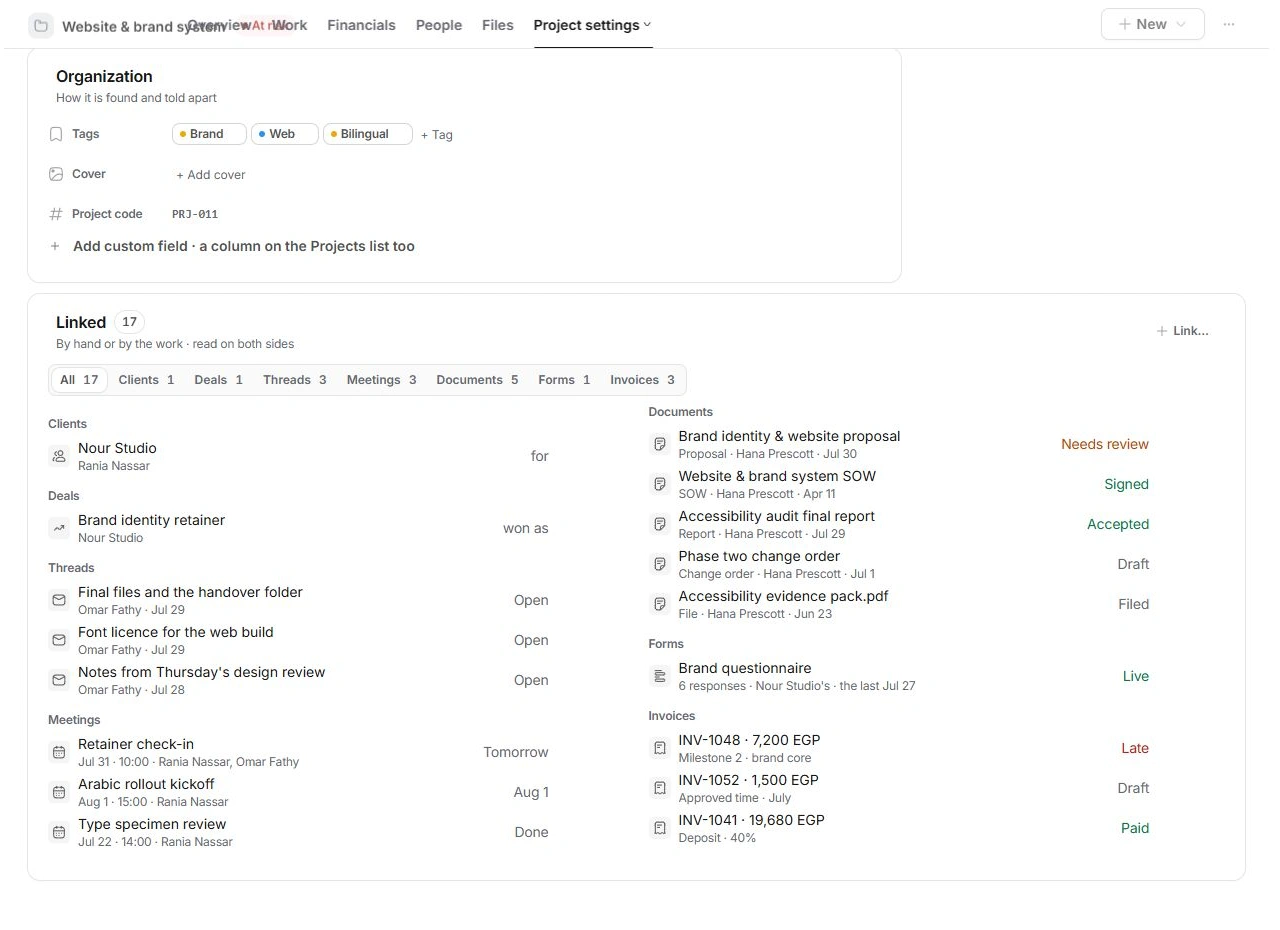
Open a record’s Linked section to see related work. Read the type and relationship beside a name before opening it. A deal and project may have similar names while representing different parts of the lifecycle.
Edit the owning record
Follow a linked invoice for its balance, a task for its status and a contact for their details. A summary on another page provides context; the owning record contains the relevant controls and full history.
Use the built-in handoff
Use lead-to-deal and won-deal-to-project actions when available. Review what will be created before confirming. These preserve context and links more reliably than manually copying names into unrelated records.
Need a clarification? Tell us what you were trying to do below.
Was this article helpful?
Need help with your workspace?
A support request lets the team reply to you directly.
Get help with this article