
A project or task is missing
Check the view, lifecycle state, grouping and access before creating another record.
On this page
Find the project
- Clear the index search and filters.
Confirm you are in the Projects module rather than a specific client's list.
- Open More → Everything.
Check On hold and Closed when the engagement is not active.
- Search by name, client or project code.
Use the code to distinguish similarly named engagements.
- Check access with the owner.
Ask them to review project visibility, your membership and responsibility.
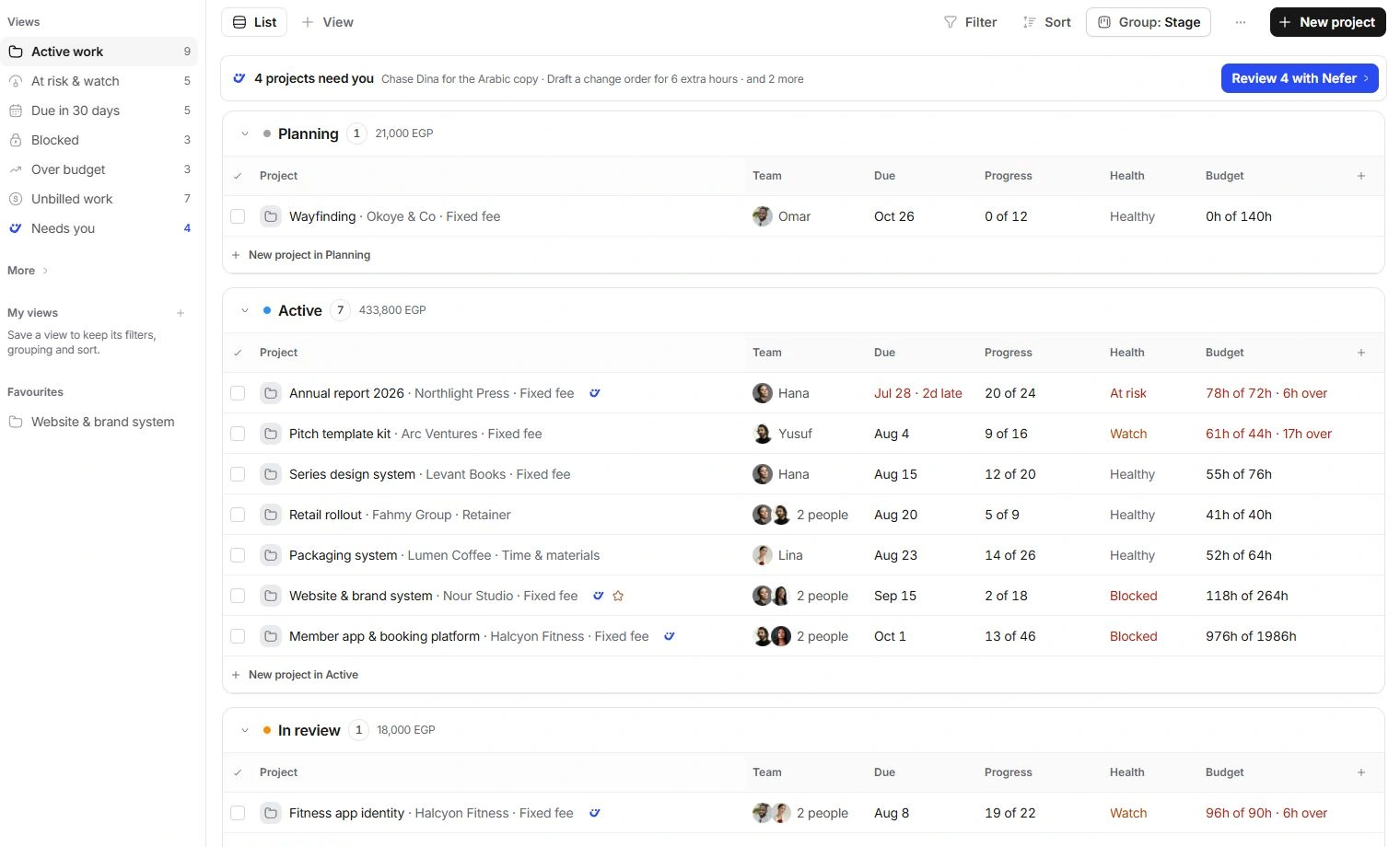
Find work inside the project
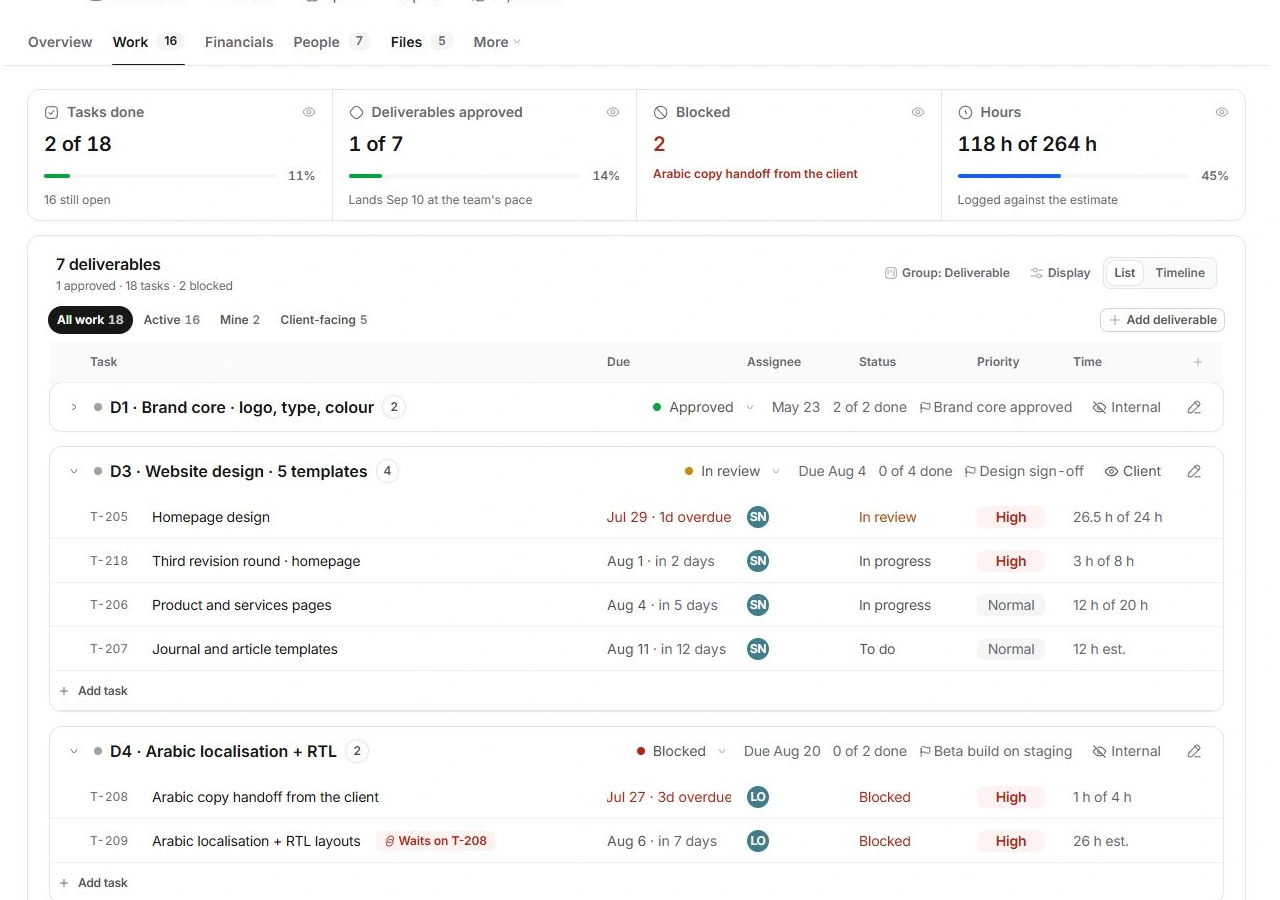
Open Work, choose All work and clear any Mine, Active or Client-facing narrowing. Expand a folded deliverable. Check grouping and the same task in the Tasks module; it may be linked to another project or deliverable.
Ask for help with useful context
If the record is still absent, contact support with the project code, page, selected view and the last action you took. Explain what should be visible and what appears instead. Exclude passwords, private client messages and sensitive attachments from the initial request.
Need a clarification? Tell us what you were trying to do below.
Was this article helpful?
Need help with your workspace?
A support request lets the team reply to you directly.
Get help with this article