
Connect responses to leads and work
Review field mappings and a response’s proposed record before creating a lead, client, project or task.
On this page
Set the answer destinations first
In Build, select a question and review Saved to. Destinations depend on purpose: Lead intake can map to lead fields, while a project brief has client-brief or file destinations. Review the owner and routing in Settings as well.
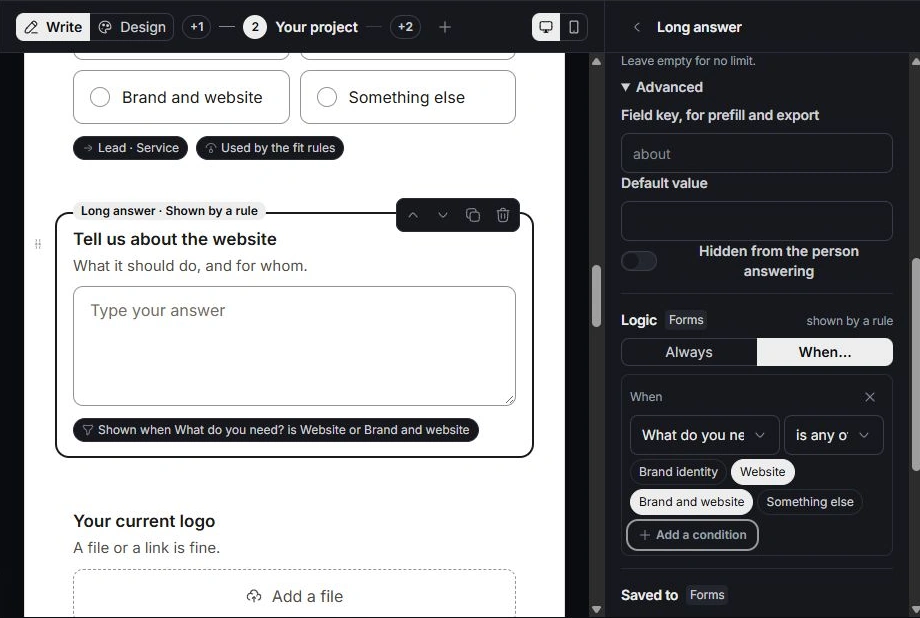
Read what the response will become
Open the response drawer and inspect Answers, Fit and Becomes a lead where present. Check the name, company, source, value and owner against the original response. A strong-fit score is support for review, not proof that the opportunity is qualified.
Create the appropriate next record
Use Create lead or Turn into… and choose the intended contact, client, deal, project or task. Inspect any proposed defaults and existing links. After creation, open the linked record in its owning module to verify it; use Open lead when a lead already exists.
Avoid duplicate or misleading conversions
Search existing records and read Linked before converting again. If an answer landed in the wrong property, correct the mapping and inspect the existing record separately. A later mapping edit does not justify assuming all historical records were corrected automatically.
Need a clarification? Tell us what you were trying to do below.
Was this article helpful?
Need help with your workspace?
A support request lets the team reply to you directly.
Get help with this article