
An invitation is not working
Check the intended address, invitation state and workspace membership before retrying.
On this page
Check the account address
Use the work address the owner invited. Confirm the company and inviter. An invitation code and an account password are different; keep both private.
Ask the owner to inspect Members
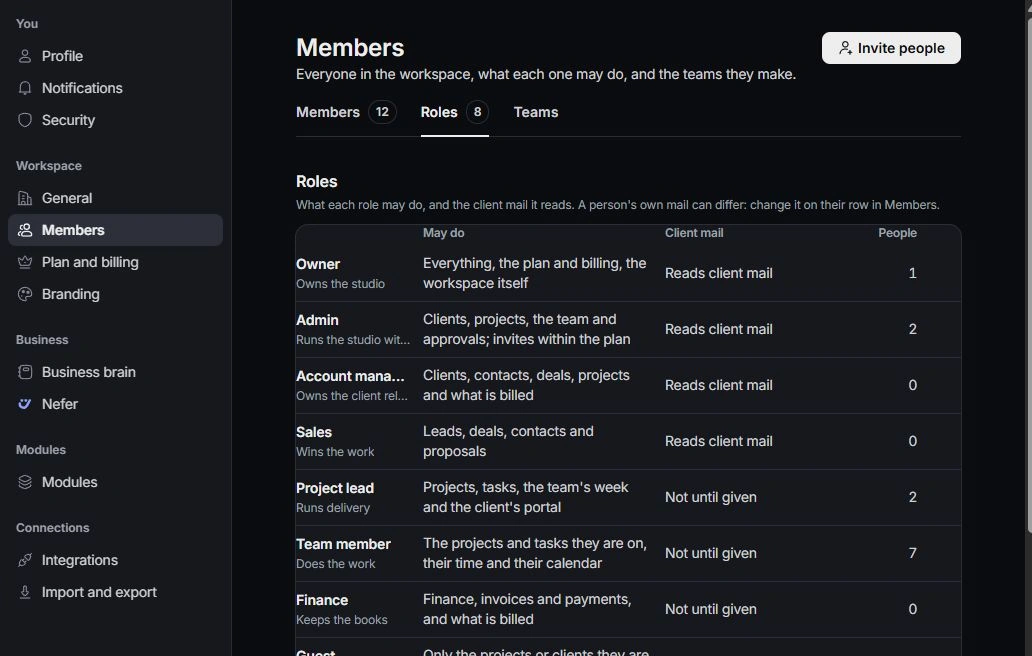
Open Settings → Members and check whether the invitation is pending, accepted or no longer available. Review seats and existing memberships so the same person is not invited repeatedly.
Use the current invitation
Ask the owner for a current invitation when needed, then complete the joining flow. If you can sign in but cannot see the expected module, review role, assignment and client-mail access rather than repeating sign-up.
Report the remaining issue
Contact support with the workspace, non-sensitive error text and the step that failed. Do not include invitation codes, passwords or a full private invitation link. Keep the saved request reference for follow-up.
Need a clarification? Tell us what you were trying to do below.
Was this article helpful?
Need help with your workspace?
A support request lets the team reply to you directly.
Get help with this article