
Preview a client-facing document
Read a document on computer and phone before a client receives it.
On this page
Open Preview
Open the document and choose Preview. The preview overlays the document as the client reads it. Switch between Phone and Computer to inspect the layout at both sizes.
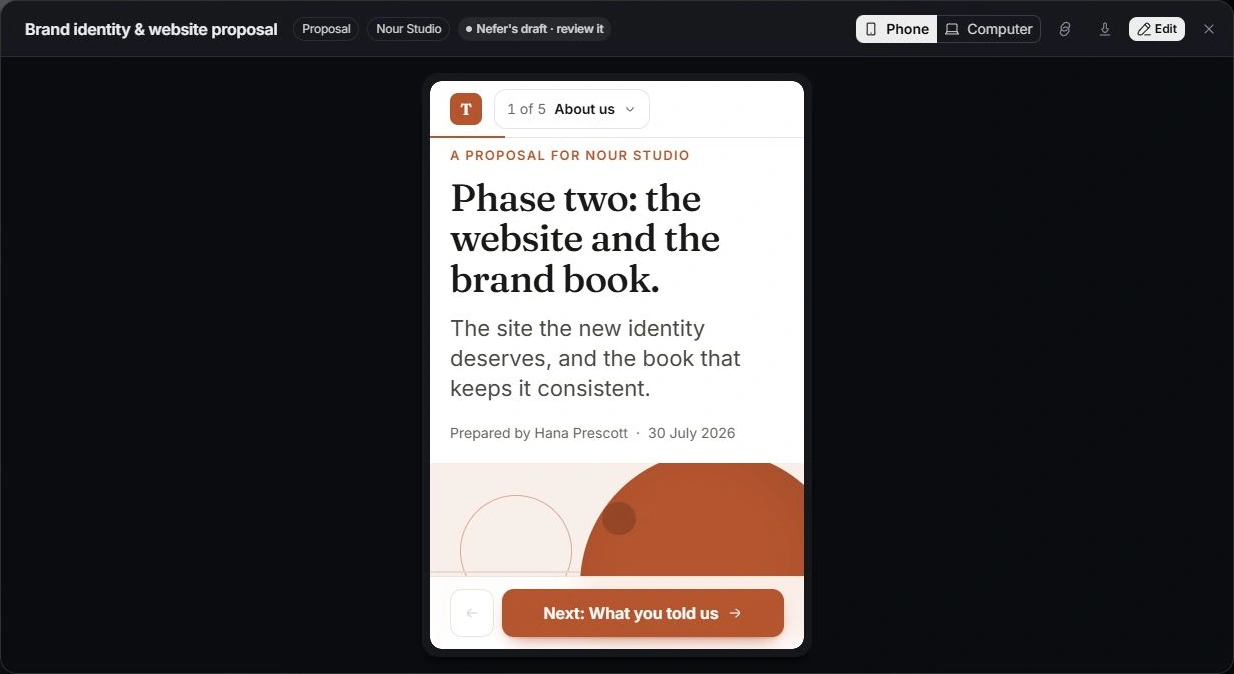
Read the complete document
Check the cover, headings, sections, scope, totals, dates, terms and client identity. If it reads step by step, move through every step rather than reviewing only the first screen.
Inspect the intended client actions
Check the wording around acceptance, signing, questions and payment where those steps exist. Review required fields and the relationship between the document’s terms and its requested action.
Return to editing
Use Edit or close the preview to make corrections, then preview again. Do not complete a client’s acceptance, signature or payment while testing a layout. Review the actual status and history after a genuine client interaction.
Need a clarification? Tell us what you were trying to do below.
Was this article helpful?
Need help with your workspace?
A support request lets the team reply to you directly.
Get help with this article