
Use project comments, files and activity
Keep team discussion, attachments and the history of work easy to find.
On this page
Keep discussion with the project
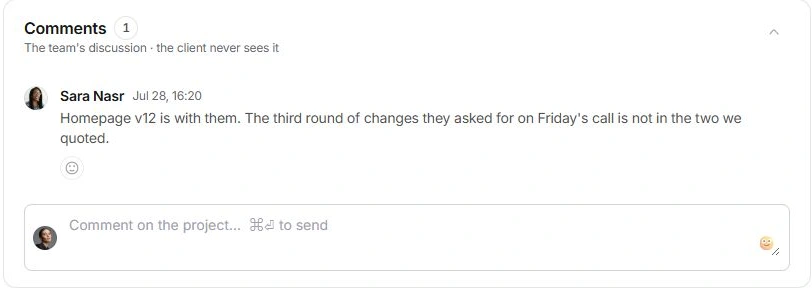
Open Overview and scroll to Comments. Write the team's context in Comment on the project and use the send action or ⌘Enter. Replies and reactions keep follow-up with the original discussion. Review portal visibility separately before treating any discussion as client-facing.
Organise files and documents
Open Files to see attachments, outside Links and records made in Documents. Add file starts with internal visibility; review Client or Internal for each file deliberately. Pin useful files or documents to keep them in the project's sidebar. Removing a file from the project is separate from editing its original document.
Find what happened
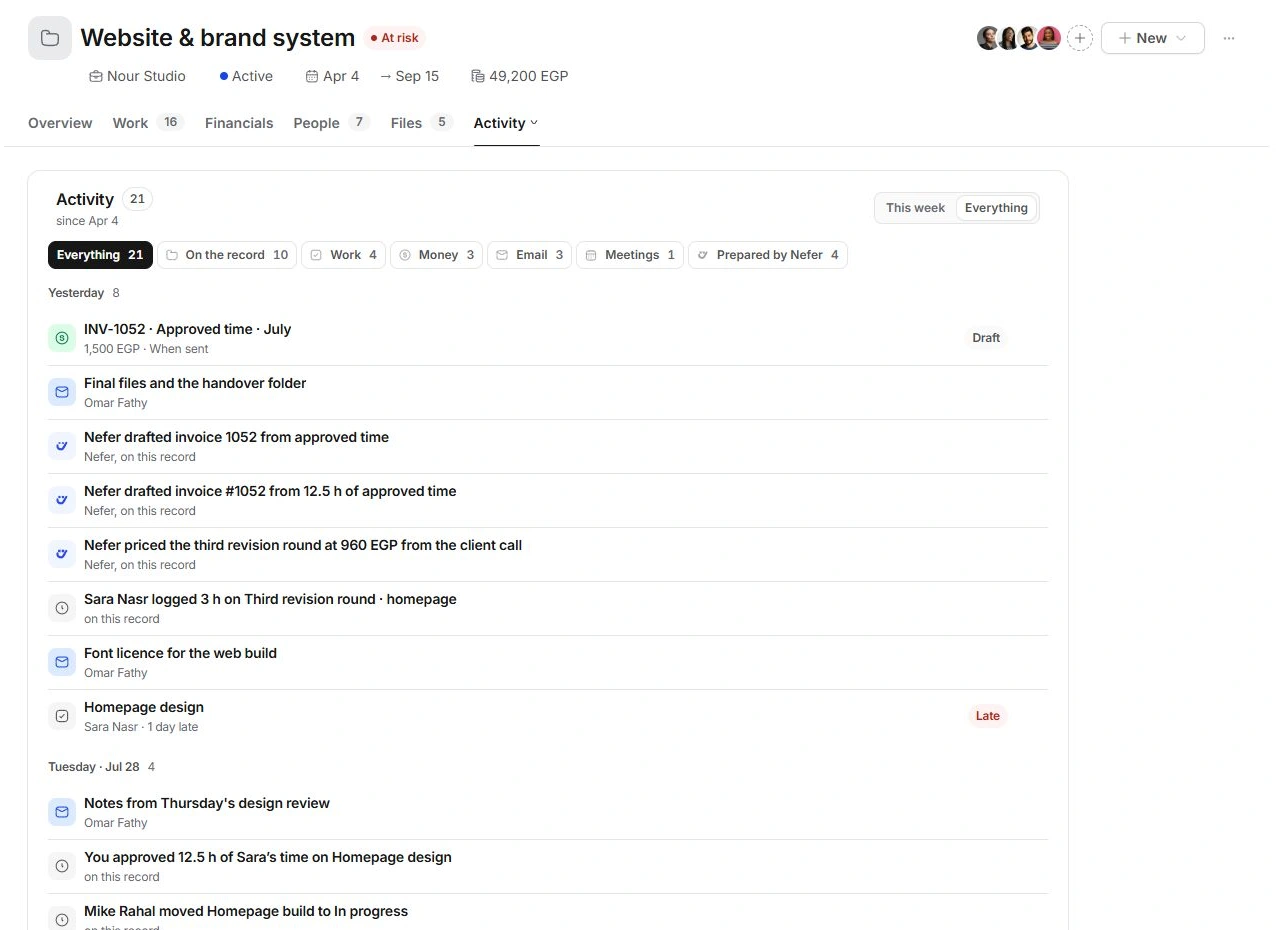
Open More → Activity, or select the currently named additional tab to choose Activity. Switch between This week and Everything, then narrow by Work, Money, Email, Meetings or Prepared by Nefer. Open a row to reach its original record. Activity is a history, while upcoming work belongs in the plan.
Choose the right place to correct something
Edit a mistaken time entry, date or invoice in its owning record. Adding a comment does not change those fields. If an attachment is absent, check Files, the client/internal setting and the linked Documents record before uploading another copy.
Need a clarification? Tell us what you were trying to do below.
Was this article helpful?
Need help with your workspace?
A support request lets the team reply to you directly.
Get help with this article