
Log and approve project time
Connect effort to tasks, review entries and distinguish approval from billing.
On this page
Log against the actual task
Open the task from Work and use its timer or Log time. Check the task, project, date, duration, description and billable setting. Use a clear description for rework or out-of-scope effort so the reviewer can understand the entry.
Review entries in Financials
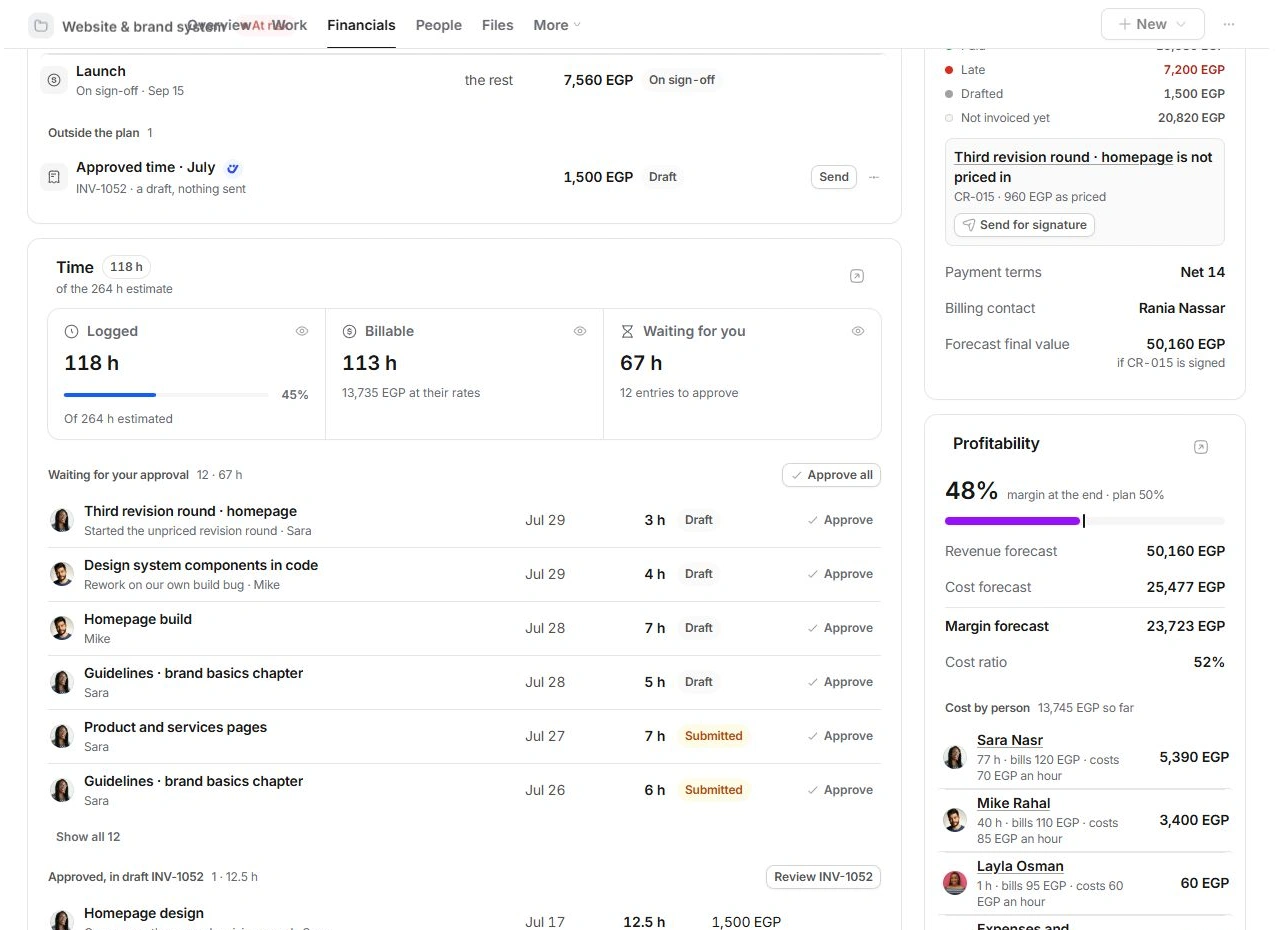
- Open Financials → Time.
Waiting for you identifies entries needing review. Use Show all when the initial list does not include the entry.
- Check each entry.
Read its task, person, date, hours, billable context and note. A Draft or Submitted state is not yet approval.
- Approve deliberately.
Use Approve on a checked row. Use Approve all only after reviewing every entry included in the count.
- Inspect the result.
Approved entries move out of the waiting queue. If already included in a draft invoice, the section names that invoice.
Avoid billing the same hours twice
Approved, waiting to be billed is different from Approved, in draft. Review the named invoice before drafting more. The project fee basis and agreed terms determine how time should be billed; recorded hours do not automatically change a fixed fee.
If the total looks wrong
Check the source task and entries before approving more time. Review duplicate logs, billable flags and the project's estimate. Use Time and billing, in Finance to inspect the broader ledger. Ask the project owner about disputed entries rather than approving them to clear the queue.
Need a clarification? Tell us what you were trying to do below.
Was this article helpful?
Need help with your workspace?
A support request lets the team reply to you directly.
Get help with this article