
Read project progress and health
Follow risks back to their tasks, dates, capacity and client decisions.
On this page
Start with Overview
Read the health chip and Needs you together. Overview brings blockers, overdue money, invoice drafts and decisions into one place. Coming up shows near-term work and meetings. Open an item to inspect the underlying record before acting.
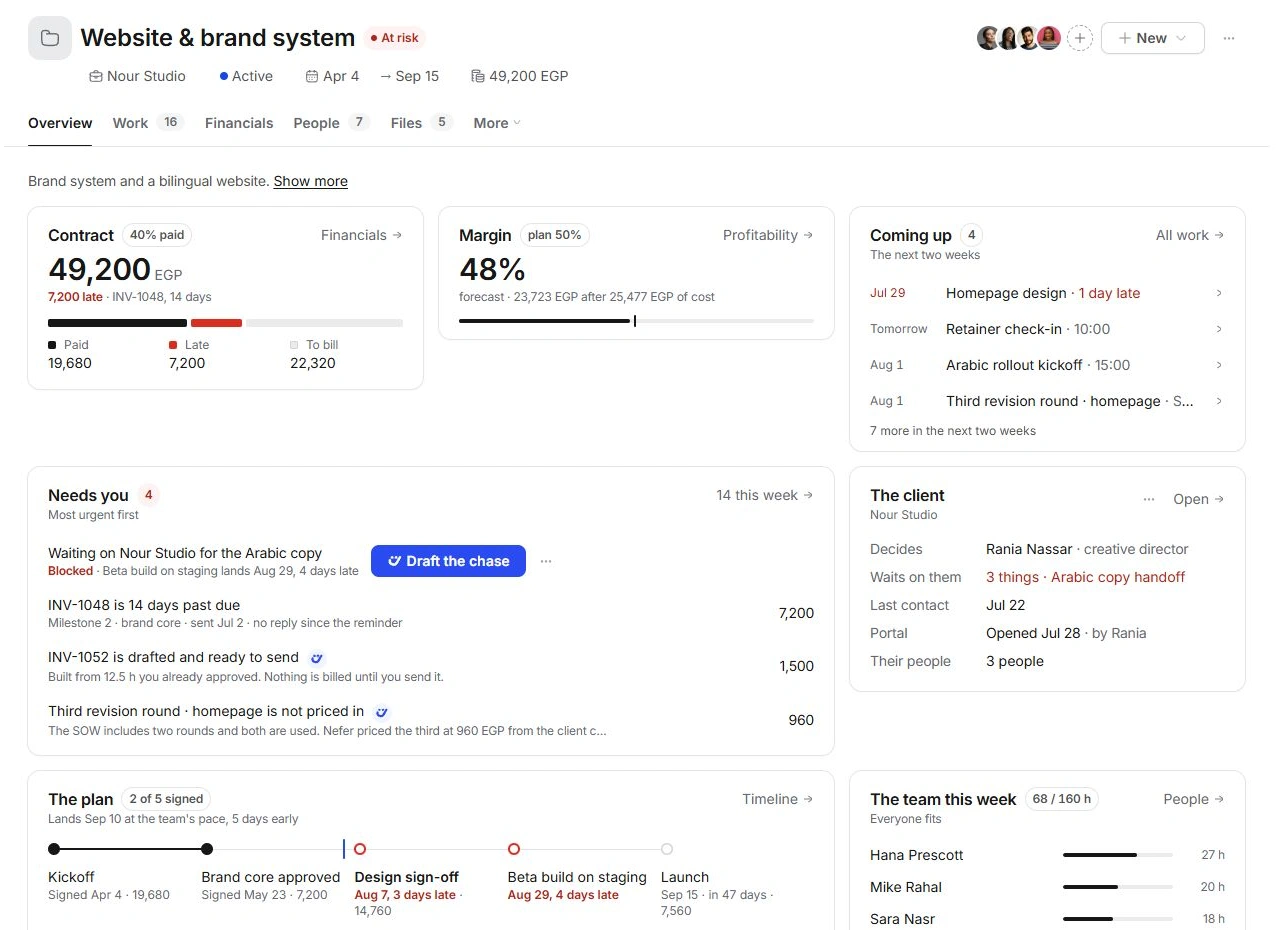
Understand the signals
Task progress counts completed tasks, while deliverable progress counts approved outputs. Neither is the same as collected revenue. Logged hours compared with the estimate show effort consumed. A forecast landing date uses the work and team capacity; the committed milestone date remains a separate reference.
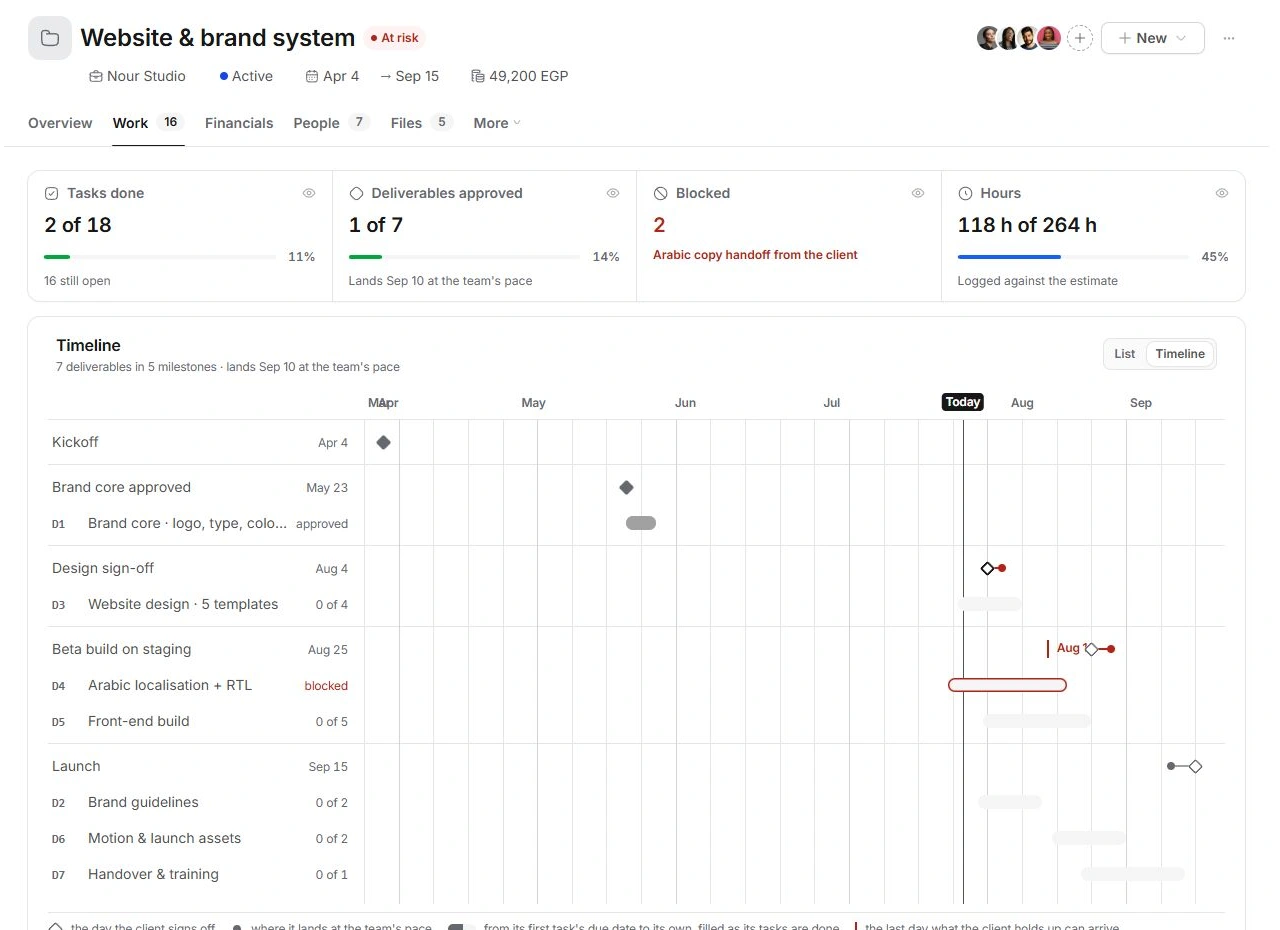
Investigate a risk
- Open the affected checkpoint or task.
Read its due date, state, estimate and dependencies.
- Check the client dependency.
If the team is waiting for copy, approval or another client input, identify who must provide it and the latest useful date.
- Check People.
Review the responsible person's week across projects before moving work.
- Prepare the next step.
Adjust the appropriate record, prepare a chase or review the proposed decision. Check the result back on Overview.
When a summary seems surprising
Read the full plan and Work filters before changing dates to remove a warning. A late payment, a blocked deliverable and over-estimate hours need different responses. If the source record and summary disagree, contact support with the project code, signal and expected value.
Need a clarification? Tell us what you were trying to do below.
Was this article helpful?
Need help with your workspace?
A support request lets the team reply to you directly.
Get help with this article