
Review connection status
Check the source account, connection state and synchronization settings before taking recovery action.
On this page
Review Integrations
Open Settings → Integrations and read each connection’s state. The overview identifies the mailbox, connected calendars and payment setup, while the owning module holds the detailed controls.
Inspect the mailbox
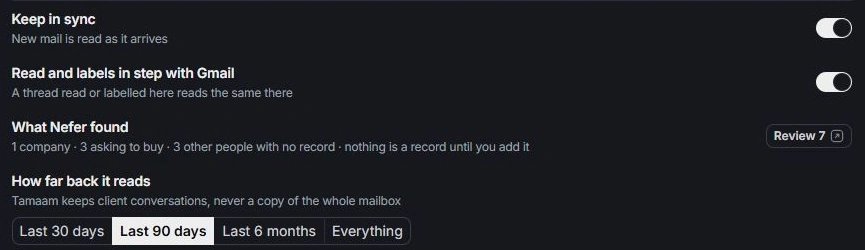
Open Inbox settings to check whether the mailbox is connected and whether synchronization is paused. Connected and kept in sync are separate conditions. Check the address before changing anything.
Inspect calendar sources
Open Calendar’s connections and visibility controls. Check which source is connected and which calendars are displayed. An event can be outside the visible range even when the connection is healthy.
Resolve the specific condition
Follow the visible reconnect, resume or account-selection path for that connection. Review the requested scope before approving it. If the same problem remains, contact support with the provider, state and time of the last known issue, excluding credentials.
Need a clarification? Tell us what you were trying to do below.
Was this article helpful?
Need help with your workspace?
A support request lets the team reply to you directly.
Get help with this article