
Read your calendar
Navigate dates, switch Day, Week, Month and Agenda, and understand the calendars and work shown.
On this page
Choose a Calendar place
Open Calendar from the workspace navigation. My calendar shows your schedule. Meetings is a searchable library of calls. Team compares availability across people. Insights summarises meeting work across the studio. Booking pages contains Pages, Bookings and Analytics.
Needs you opens a review drawer for proposed follow-up work and booked calls needing an outcome. Calendar settings belongs at the foot of the module sidebar; it is separate from the workspace’s general settings.
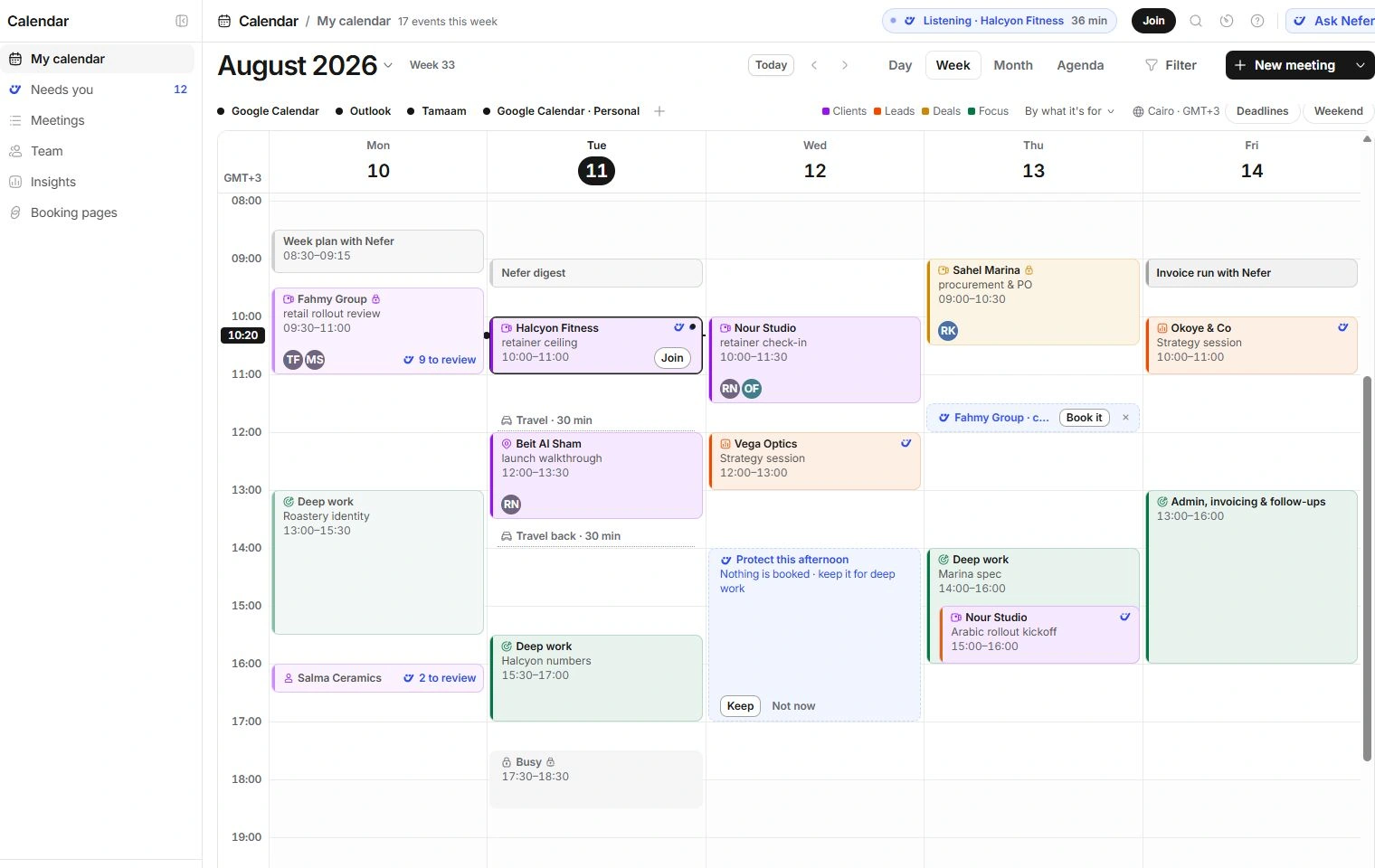
Choose which calendars and work to show
At wide desktop sizes, Your calendars is a row beneath the date controls. At narrower sizes, Calendars opens the same choices. Toggle a source to hide or show its events. Hiding a source does not disconnect it.
By what it’s for and the colour key distinguish clients, leads, deals and focus blocks; the colour choice can also follow the source calendar. Weekend changes whether the week includes all seven days. Deadlines adds relevant work dates; a deadline is not automatically a timed meeting.
Dashed cobalt proposals are Nefer’s suggestions, not committed events. Read them and choose their explicit action before relying on the time being reserved.
Open the context behind an event
Select an event to open its meeting drawer. A completed meeting with a review workspace opens its full meeting page. Client and project controls lead to related records.
A private imported event may appear only as Busy. A lock or read-only source explains why a meeting cannot be moved here. Use the source calendar for edits when Tamaam has no write access.
Need a clarification? Tell us what you were trying to do below.
Was this article helpful?
Need help with your workspace?
A support request lets the team reply to you directly.
Get help with this article