
Find a contact’s related work
Open the leads, deals, client context and activity associated with a person.
On this page
Start from the contact drawer
Open the person in Contacts. Check the name, company and role, then expand Linked. Review each relationship’s type and meaning before following its Open link.
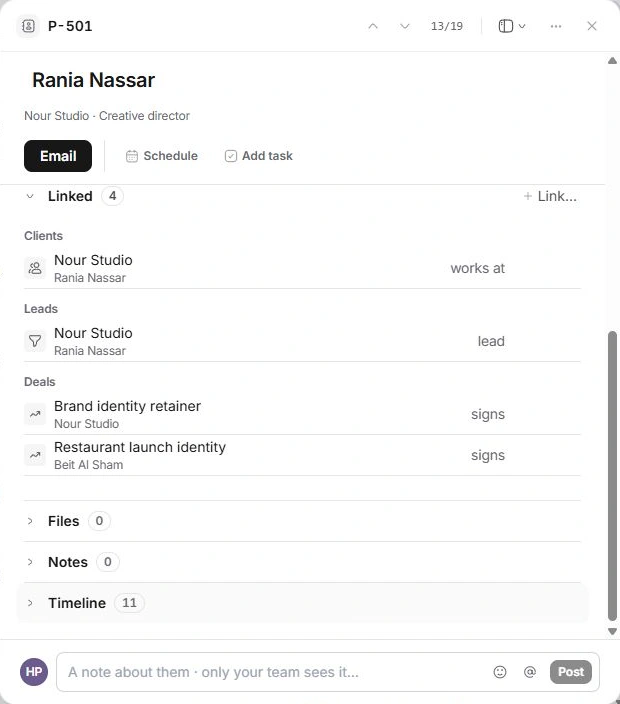
Use Timeline to understand the history
Timeline and the record’s changes provide context; linked records lead to the complete conversation, opportunity or account. Read the original record before assuming a prepared draft was sent or a deal was accepted.
Read the organisation’s people
Colleagues or People here shows other directory records associated with the same company. This can help you find the right person, but it is not an account-team roster or a list of portal permissions.
When work is missing
Inspect Company and Linked first, then search the owning module. A matching name is not enough to guarantee an association. Use Link… for a missing relationship to an existing record; do not recreate an opportunity or task simply to make it appear in the contact drawer.
Need a clarification? Tell us what you were trying to do below.
Was this article helpful?
Need help with your workspace?
A support request lets the team reply to you directly.
Get help with this article